Disclosure: Butler Review may earn a commission from qualifying purchases made through affiliate links, at no additional cost to you. Our recommendations are based on usefulness, value and suitability for the intended user.
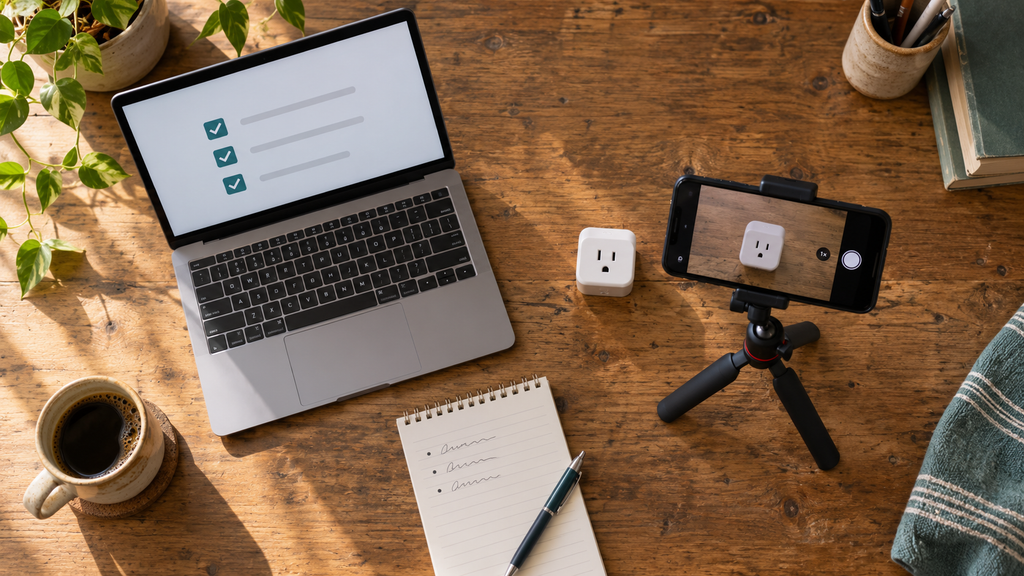
You open your phone with your coffee and three new AI headlines are already waiting. A new model. A new feature. A new tool somebody swears will change everything. By Friday you have read a dozen and used none of them.
Most AI news is written for investors and engineers, not for the person trying to run a small business, build a small channel or get a few hours back each week.
So let’s slow down and look at four things that actually happened in early September 2026:
- GPT-6 Astra, OpenAI’s new model
- Repeatable AI workflows
- YouTube Shopping product tags
- Gemini’s new Lyria 3.5 music generator
Some of this is useful. Some is being oversold. I will tell you which is which.
What Is GPT-6 Astra?
On September 3, 2026, OpenAI announced GPT-6 Astra, its newest model.
Here is the part that matters for regular people. OpenAI built Astra to do things on a computer, not just talk about them. According to the announcement, it handles online research, computer use and multistep tasks: documents, spreadsheets and presentations, calendar organization, forms, customer records, and even building and testing a simple website. OpenAI also says it is better at following your existing templates and at adjusting when you change instructions partway through.
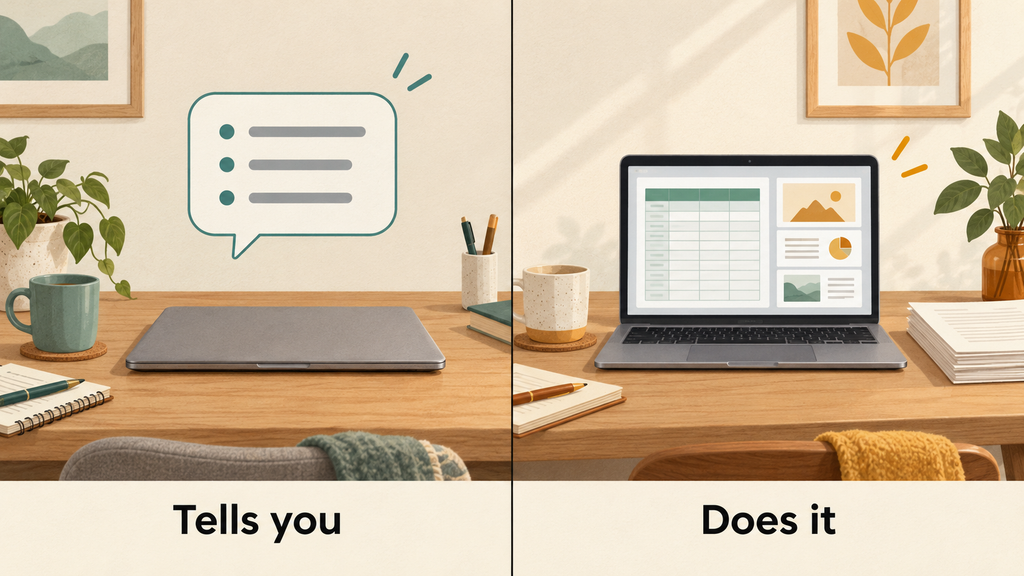
Chatbot versus agent, in plain English
A chatbot answers you. Ask how to build a budget spreadsheet and it tells you the steps. You still do the work.
An agent takes steps for you. Ask for the budget and it opens the tool, builds the sheet and hands it back for you to check.
That is the shift Astra represents: a helper that carries a task further before it needs you again.
An everyday example
Say you run a one-person consulting business and need to know what local competitors charge.
With an agent, you can ask it to research pricing in your area, organize what it finds into a spreadsheet with columns for company, service, price and source, then turn the top findings into a five-slide client presentation.
You still read every number and decide what is true. But the assembly work happens without you clicking through forty browser tabs.
Who can use it, and what to be skeptical about
Access started with a limited set of organizations and was scheduled to expand to ChatGPT Plus, Pro, Business and Enterprise users, plus the OpenAI API. Rolling out does not mean everyone gets it the same morning. If you have a paid plan and do not see it yet, that is normal. On business and enterprise accounts, an administrator may need to switch it on.
Two honest cautions. I am not calling Astra artificial general intelligence, whatever this week’s headlines say. It is a strong tool with real limits.
And the impressive benchmark scores in that announcement come from OpenAI itself. Vendor-run tests are a starting point, not a verdict. Treat those numbers as a claim to watch, not a fact to repeat.
Why Repeatable AI Workflows Matter More Than Random Prompts
This is the section I would read twice.
On September 1, 2026, OpenAI published a report on how AI-native companies build workflows. Two examples stood out.
One company, Basis, said its first-day employee onboarding now takes 30 minutes instead of two hours. Another, Clay, reported that one of its team members saves roughly an hour of nightly inbox triage.
Read that carefully: those numbers came from the participating companies themselves and were not independently audited. Take them as encouraging, not as a promise.
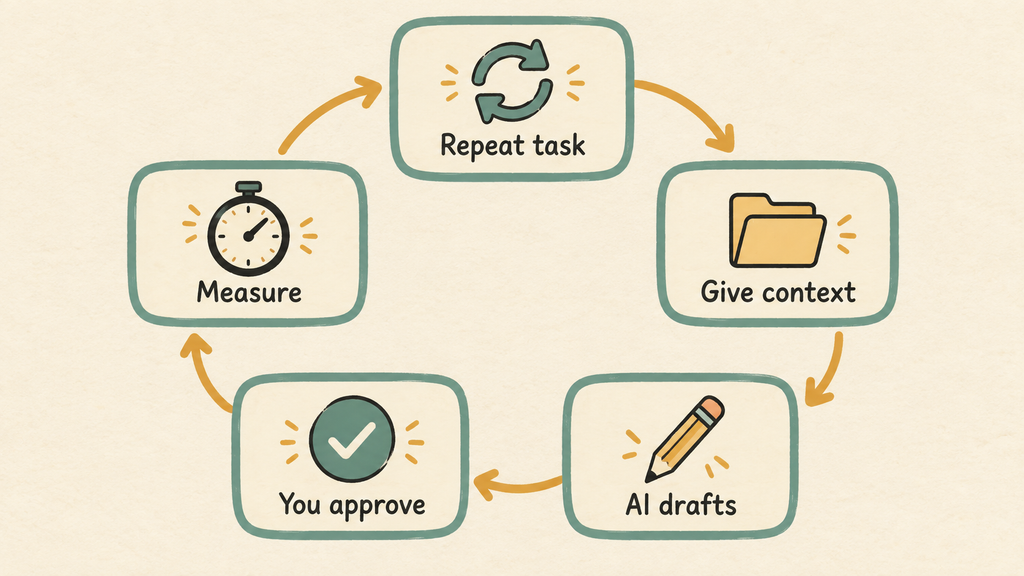
What matters is the pattern behind them. In both cases, somebody took a task that happens over and over, wrote down how it works, gave the AI the right information, and kept a human in charge of the decisions. That is a workflow, and it beats a folder of three hundred clever prompts you will never find again.
How to build one repeatable workflow
- Pick a task you do regularly. Weekly, ideally. One-time tasks are not worth systemizing.
- Define what “finished” looks like. A 900-word draft with three headings beats “write me something good.”
- Give it the right source information. Your notes, specs, past work and style.
- Decide what the AI handles. Usually research, sorting, first drafts and formatting.
- Decide where you must approve. Facts, prices, links and anything with your name on it.
- Measure something real. Time, quality, cost or revenue. Write it down.
- Save the instructions and improve them. When something goes wrong, fix the instructions instead of starting over.
The Butler Review product review workflow
Here is the one I use for a product article:
- Identify the buyer’s actual problem.
- Verify the product specifications against the manufacturer or listing.
- Collect the questions real buyers keep asking.
- Build an outline.
- Draft the article and the matching social posts.
- Add firsthand experience, which no AI can supply.
- Check disclosures and affiliate links.
- Do a final human read before anything publishes.
Steps four and five are where AI helps most. Step six is what makes the article worth reading. Step eight is not optional.
A reusable system compounds. A pile of disconnected prompts does not.
Can YouTube Product Tags Produce More Clicks?
On September 3, 2026, YouTube expanded its Shopping Affiliate Program into Germany, with partners including OTTO, MediaMarktSaturn and Kaufland.
If you create in the United States, that launch does not change your eligibility. Nothing about your account changed that day.
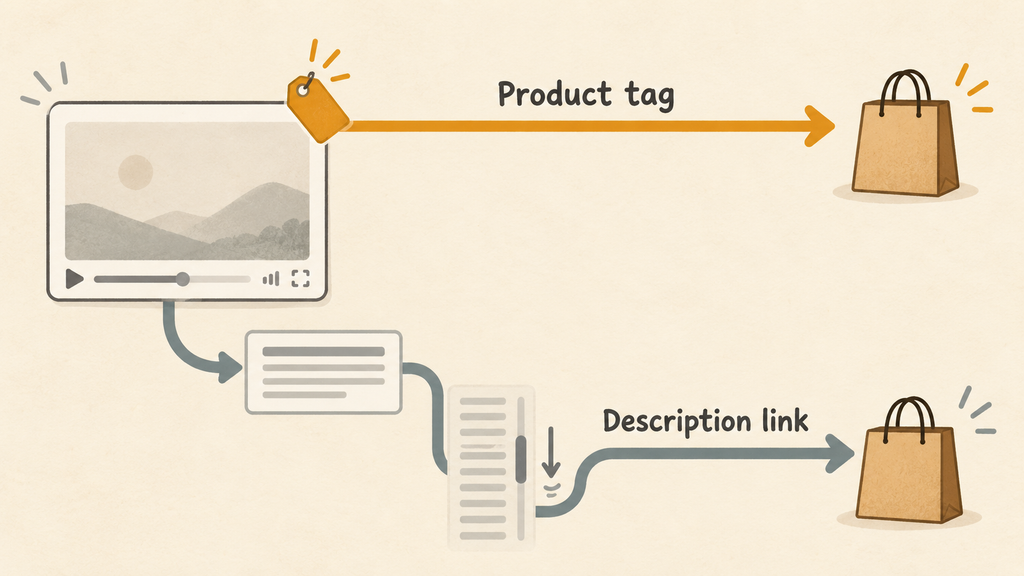
But the announcement included a number worth your attention. YouTube reported that in an internal global experiment in July 2026, videos using product tags alone received more than 110 percent additional product clicks compared with description links alone.
But Hold Up! Before you rebuild your whole channel around that number, look at what it actually is.
- It was YouTube’s own internal experiment, footnoted on their page as internal data.
- It does not guarantee that your clicks will double.
- More clicks are not more sales. Clicks are the top of the funnel.
- Price, audience intent, video quality, return rates and commission rates all still decide whether you earn anything.
A cheap product with high buyer intent can outperform an expensive one with double the clicks.
The Amazon connection
This matters more for U.S. creators because on August 27, 2026, Amazon joined the YouTube Shopping Affiliate Program in the United States. Eligible creators can now tag Amazon products directly inside Shorts, long-form videos and livestreams instead of relying only on a description link.
A few practical notes. You need a linked Amazon Influencer or Associates account, only a selected catalog is taggable rather than all of Amazon, and reporting is less detailed than you might expect. Check your eligibility inside YouTube Studio before planning around it.
A simple test you can actually run
Do not overhaul anything. Run one comparison.
- Make a short video that solves one specific problem.
- Tag the exact product inside the video, if you are eligible.
- Add a properly disclosed affiliate link in the description where allowed.
- Give one natural spoken call to action. No hard sell.
- Track clicks, retention and estimated revenue, then compare against a similar video without tags.
Good candidates solve an obvious daily problem. The RMS Deluxe Sock Aid fits an older audience with limited mobility. The Amazon Smart Plug fits anyone who wants to automate a lamp or a coffee maker without rewiring anything.
Here is the format I would build a series around:
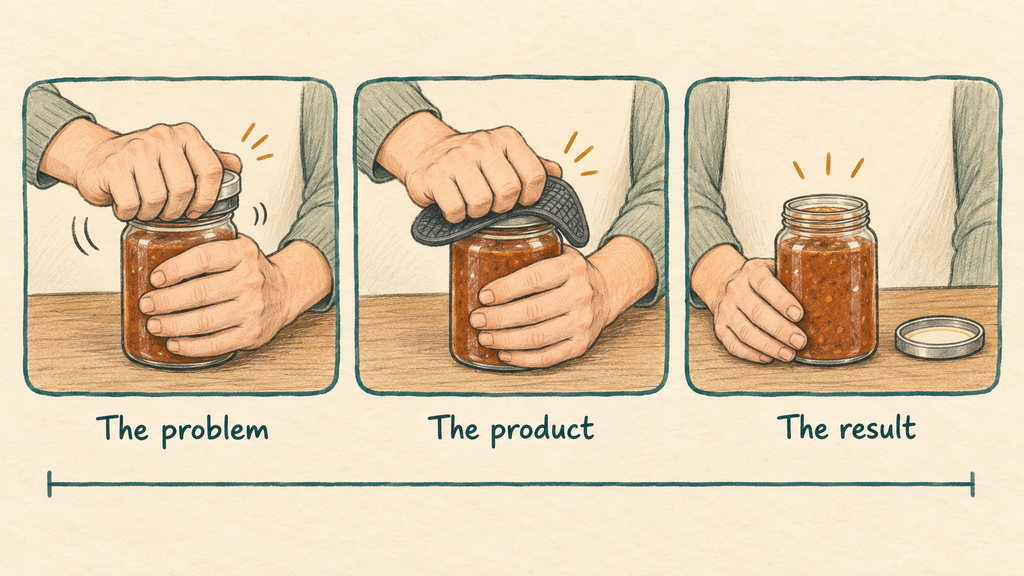
“One Problem, One Product, One Minute.”
Sixty seconds. Show the problem in the first five. Show the product working. Show the result.
Gemini Added AI-Generated Music
On September 4, 2026, Google released Lyria 3.5 in the Gemini app.
You can select or describe a genre, choose vocal or instrumental, start from a template, and pick a shorter or longer track. Google points to backing tracks for video, brand jingles and personalized ringtones. It is available globally on the web and in the mobile app.
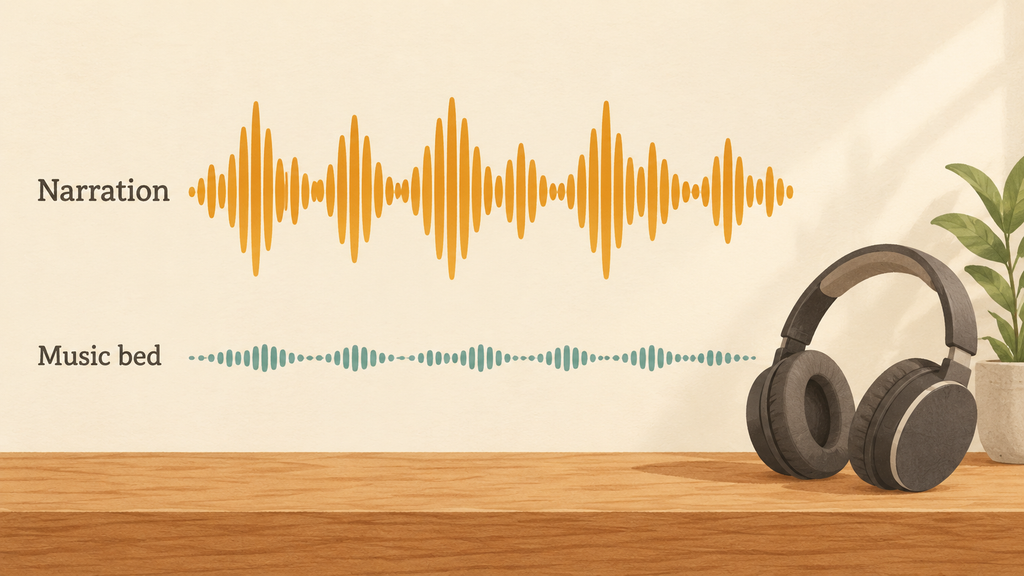
If you make faceless videos, this solves a real annoyance. Stock libraries are crowded, the free tracks are used by thousands of other channels, and most are mixed too loud and fight your narration. Asking for something quiet and steady, built for talking over, is a practical win.
Three uses to try this week:
- A 30-second bed for a technology review.
- Calm background music for a tutorial aimed at retirees, where clarity beats energy.
- A three-second Butler Review audio logo for the start of every video.
Read the terms before you monetize
AI-generated music is not automatically free of every legal or platform restriction. Being made by a machine does not settle how you may use it.
Before you put a track on a monetized video:
- Read Google’s current commercial-use terms for the tool you used.
- Do not ask for imitations of living artists or specific songs.
- Save your prompts and the date as a record of how the track was made.
- Check each platform’s rules, since YouTube, Facebook and TikTok do not treat this identically.
I am not a lawyer and this is not legal advice. But ten minutes reading the terms is cheaper than a takedown.
Genuine Opportunities Versus Hype
Genuine opportunities
- Handing carefully defined tasks to AI
- Building workflows you reuse instead of rewriting prompts
- Testing native YouTube product tags on real videos
- Creating custom music for faceless videos
- Producing original product demonstrations
- Combining AI speed with your own experience and judgment
Hype to avoid
- “GPT-6 can run an entire business without supervision.”
- “YouTube product tags guarantee twice the sales.”
- “AI music can be used anywhere without checking the terms.”
- “More automation always means more productivity.”
- “AI can replace firsthand product testing.”
That last one quietly ends channels. Readers can tell when nobody touched the product.
What Should a Beginner Do This Week?
Three steps. No new software required.
- Pick one repetitive task and turn it into a workflow. Write the steps in a document. Use the free tier of any AI tool you already have.
- Make one short problem-solving product video. One minute. Your phone is enough.
- Test one new feature and record the real result. Not how it felt. What it did to your time or your numbers.
Maybe two hours total. That is a real week of progress.
Frequently Asked Questions
What is GPT-6 Astra? GPT-6 Astra is an AI model OpenAI announced on September 3, 2026. It is designed for computer use and multistep work such as research, documents, spreadsheets, presentations and forms. Access began with selected organizations and expanded to paid ChatGPT plans in stages.
Can beginners use AI workflows? Yes. A workflow is a written set of repeatable steps, not software. Pick one weekly task, define the finished result, list what AI does and where you approve, then save the instructions and improve them.
Do YouTube product tags guarantee more sales? No. YouTube’s internal July 2026 experiment reported more than 110 percent additional product clicks from tags alone versus description links alone, but clicks are not sales. Price, audience intent, returns and commission rates all affect earnings.
Can I use Gemini-generated music in monetized videos? Sometimes, but check first. Review Google’s current commercial-use terms and the monetization rules of each platform. Avoid prompts that imitate living artists, and keep records of how you made the track.
Can AI write an honest product review without testing the product? It can write a summary, not a review. Honest reviews require firsthand use. Use AI for research, structure and drafting, then supply the real experience yourself.
The Bottom Line
The opportunity is not chasing every announcement. There will be four more before the end of the month, and you cannot use them all.
It is choosing one capability, testing it on a real problem you have, and measuring whether it saved time or helped your audience. That is the whole method.
One tool. One test. One honest measurement.
Which would you test first: an AI workflow, YouTube product tags or AI-generated music? Tell me in the comments, and tell me what happened when you tried it.
About the Author