
Affiliate disclosure: Butler Review may earn a commission from qualifying purchases made through links in this article. This does not affect the price you pay.
Amazon Smart Plug Review: Is It Worth It for Your Home?
Have you ever left home and suddenly wondered, “Did I turn that lamp off?” Never leave a light on again with the Amazon Smart Plug.
Maybe you were already halfway down the road, or perhaps you’d made it to bed only to wonder if you left a lamp on. Or maybe you just wanted your lights to turn on before you walked into a dark house. This is a simple fix for under $30.
These are small problems, but they happen all the time.
The Amazon Smart Plug offers a simple solution. It lets you control compatible lamps and small household devices through the Alexa app or an Alexa-enabled device.
But hold up.
A smart plug is not going to turn your house into something from a science-fiction movie. It will not cook dinner, fold your clothes, or remind your family to replace the empty toilet paper roll.
What it can do is make a few everyday tasks easier. And sometimes, that is exactly what good technology should do.
What Is the Amazon Smart Plug?
The Amazon Smart Plug is a compact Wi-Fi-enabled outlet designed to work with Alexa.
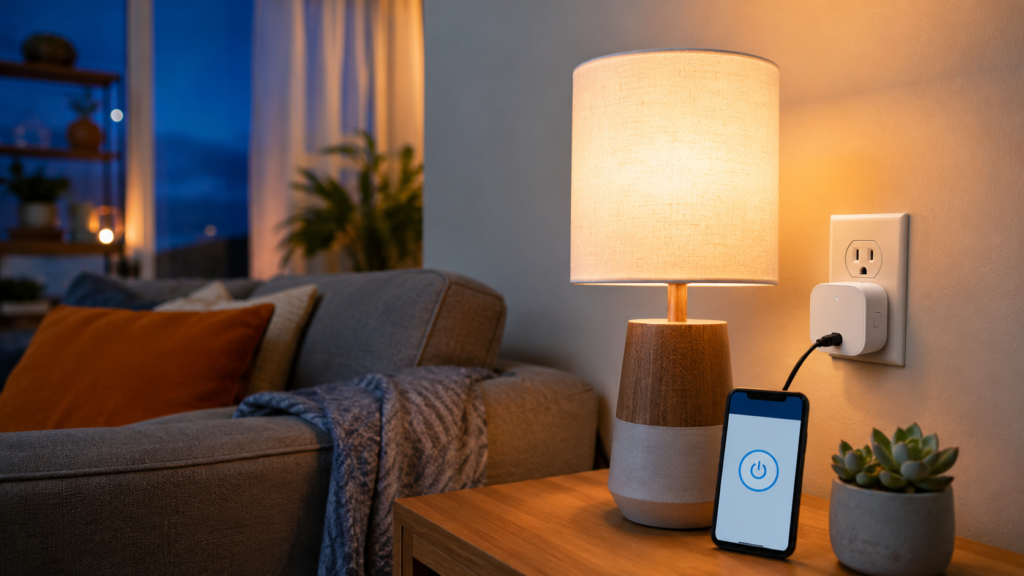
You plug it into an existing wall outlet and then connect a compatible device, such as a lamp or fan, to the smart plug. Once it’s set up, you can control that device through the Alexa app, a compatible Echo device, or an automated schedule.
Amazon says no separate smart-home hub is required. Setup is handled through the Alexa app, and the plug can be used with many lamps, fans, coffee makers, and similar products that have a physical on-and-off switch.
Its compact design is also intended to leave the second outlet available.
It’s a popular choice for people trying their first smart-home device, which makes it a solid, low-risk entry point into home automation for anyone who hasn’t tried one before.
The Problem It Solves
Most people are not looking to build an expensive smart home. They just want to solve one annoying problem.
You may want the living-room lamp to turn on at sunset. You might want to shut off a fan without getting out of bed. You could also schedule a light to turn on while you’re traveling so the house doesn’t remain dark every night.
The Amazon Smart Plug takes an ordinary compatible device and gives you three useful control options:
- Control it from the Alexa app
- Use an Alexa voice command
- Create an automatic schedule or routine
You don’t have to replace your lamp, install new wiring, or understand complicated technology. That simplicity is the biggest reason I believe this product fits Butler Review readers.
How Easy Is It to Set Up?
Amazon’s setup process is fairly straightforward:
- Plug the Amazon Smart Plug into a wall outlet.
- Open the Alexa app on your phone.
- Select Devices.
- Choose the option to add a new device.
- Select Plug and follow the instructions.
The plug uses a 2.4 GHz Wi-Fi connection. Most modern routers support that frequency, although some homes combine 2.4 GHz and 5 GHz networks under one name.
If Alexa cannot locate the plug, Amazon recommends confirming that both devices are connected to the same Wi-Fi network and are within approximately 30 feet of each other during setup.
That is important because “simple setup” doesn’t mean a connection problem is impossible. Wi-Fi settings are usually where beginners run into trouble.
What Can You Control With It?
The best choices are simple devices with physical switches that can remain in the on position.
Good examples may include:
- Table and floor lamps
- Some portable fans
- Decorative lighting
- Holiday lights
- Certain coffee makers with mechanical switches
You can create a schedule for a lamp to turn on every evening, control a fan from another room, or include the plug in an Alexa routine.
For example, a “Good Night” routine could turn off a connected lamp when you give Alexa a command. A morning routine might turn on a light shortly before you wake up.
However, always confirm that the appliance manufacturer permits use with a timer or smart plug. Avoid connecting space heaters, medical equipment, safety-critical products, or appliances that should not operate unattended. You should also confirm that the device stays within the smart plug’s electrical limits.
Convenience should never come before safety.
What I Like About the Amazon Smart Plug
It’s beginner-friendly. You do not need a separate hub or an advanced smart-home system. If you already use Alexa, the learning curve should be manageable.
It solves a real problem. This is not technology for the sake of technology. Remote control, voice commands, and automatic schedules can genuinely make daily routines more convenient.
It works well inside the Alexa ecosystem. The Alexa app handles setup, schedules, routines, and remote controls. You don’t need to manage another manufacturer’s app.
The design is compact. Amazon designed the plug so it doesn’t unnecessarily block the second outlet in a standard wall receptacle.
What You Should Know Before Buying
The biggest limitation is compatibility. The Amazon Smart Plug is built specifically for Alexa. If your home relies on Google Home, Apple Home, or another smart-home platform, a different plug may give you more flexibility.
It also requires Wi-Fi. If your internet or home network is unavailable, remote controls and Alexa features may not work as expected.
Another limitation is that the plug cannot operate every appliance properly. Devices with electronic controls may not restart automatically when power is restored. A lamp with a physical switch is normally a much better candidate.
Finally, you are paying for convenience and simple Alexa integration. Less expensive multi-packs from other brands may offer more plugs for the money, although they may require another app or a more involved setup process.
Pros and Cons
Pros
- Priced under $30
- Simple Alexa integration
- No separate hub required
- Voice, app, schedule, and routine controls
- Beginner-friendly setup
- Compact design
- Useful for lamps and other compatible devices
Cons
- Designed around Alexa rather than multiple platforms
- Requires 2.4 GHz Wi-Fi
- Not appropriate for every appliance
- One plug may cost more per outlet than some multi-packs
- Remote features depend on a working network connection
Who Is This Best For?
The Amazon Smart Plug makes the most sense for:
- Alexa users trying their first smart-home product
- Older adults who want easier control of a lamp or fan
- People with limited mobility
- Anyone who frequently forgets to turn off a light
- Travelers who want scheduled lighting
- Busy people who appreciate simple automation
It may not be the best choice if you use Google Home or Apple Home, need energy-usage monitoring, want several inexpensive plugs, or prefer a system that works across multiple smart-home platforms.
Frequently Asked Questions
Does the Amazon Smart Plug work with Google Home or Apple HomeKit? No. It’s designed specifically for the Alexa ecosystem and requires the Alexa app for setup and control.
Do I need an Echo device or smart-home hub to use it? No separate hub is required. You can control the plug through the Alexa app on your phone even without an Echo device, though voice control requires an Alexa-enabled device.
What Wi-Fi does the Amazon Smart Plug need? It connects over 2.4 GHz Wi-Fi only. If your router broadcasts a combined 2.4/5 GHz network, you may need to temporarily split the bands during setup.
Can I use it with a space heater or other high-power appliance? No. Avoid connecting space heaters, medical equipment, or any appliance that shouldn’t operate unattended, and confirm the device stays within the plug’s electrical limits before using it.
Final Verdict
The Amazon Smart Plug does not try to do everything. That is actually one of its strengths.
It takes one compatible household device and makes it easier to control. You can use your voice, tap your phone, or create a schedule that handles the task automatically.
For someone already using Alexa, it’s a practical first step into smart-home technology. It may be especially helpful for beginners, older adults, or anyone who wants convenience without installing a complicated system.
Is it essential? No.
But if turning a lamp on before you get home, controlling a fan from bed, or shutting something off without walking across the house would make your day easier, it’s worth considering.
[Check the latest Amazon Smart Plug price and availability →]
Prices, promotions, rankings, and availability can change at any time.
About the Author
